Expanding your business is an exciting milestone. Opening a second, third, or even tenth location means your brand is growing and reaching more people. However, from a digital marketing perspective, expanding brings a unique challenge: Multi-location SEO.
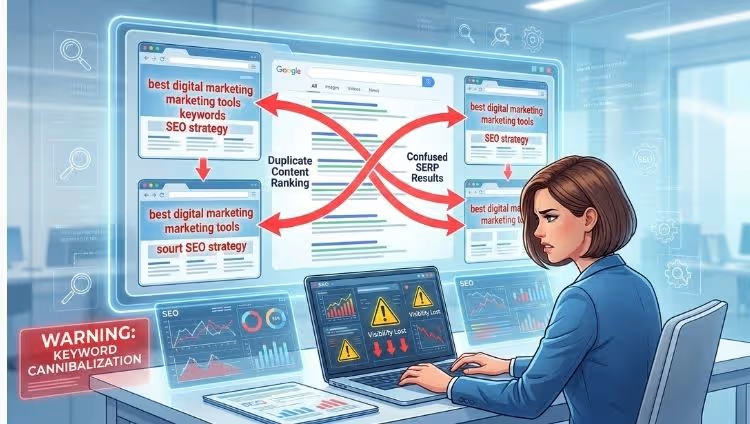
Many business owners think that if they have five offices, they should just copy and paste the same content onto five different pages, changing only the city name. This is a big mistake. When you do this, you fall into the trap of “Keyword Cannibalization.” This is a fancy way of saying that your own web pages are fighting each other for the top spot on Google. Instead of helping you rank, they end up hurting your overall visibility.
In this guide, we will break down how to build a multi-location SEO strategy that works. We will explain how to stop competing with your own content and how a Digital Marketing Agency in Lucknow -eMarketters can help you dominate your local markets.
Understanding the Problem: What is Keyword Cannibalization?
Imagine you have a bakery in Lucknow and another one in Kanpur. You create two pages on your website. Both pages use the exact same text: “We sell the best chocolate cakes in the city.”
When someone searches for “best chocolate cakes,” Google looks at your website and sees two identical pages. Google gets confused. It doesn’t know which page is more relevant, so it might decide to show neither, or it might constantly switch between them, preventing either page from gaining authority.
You are essentially your own biggest competitor.
To win at multi-location SEO, you need to prove to Google that each of your location pages is unique, valuable, and specifically designed for the people in that specific area.
The Foundation: Smart Website Architecture
Before you write a single word of content, you need to decide how your website is structured. For businesses with multiple locations, there are three common ways to organize URLs.
URL Structure Comparison Chart
| Structure Type | Example URL | Pros | Cons |
| Subdirectories (Recommended) | website.com/lucknow/ | Best for SEO; all “authority” stays on one main domain. | Requires careful organization. |
| Subdomains | lucknow.website.com | Good for very large franchises with different services. | Google treats it like a separate site; harder to build authority. |
| Separate Domains | lucknowbakery.com | Very specific targeting. | Extremely expensive and time-consuming to manage multiple sites. |
The Verdict: For 95% of businesses, Subdirectories are the best choice. They allow your main website to get stronger every time you add a new location page.
How to Create Unique Location Pages (The “Anti-Copy” Method)
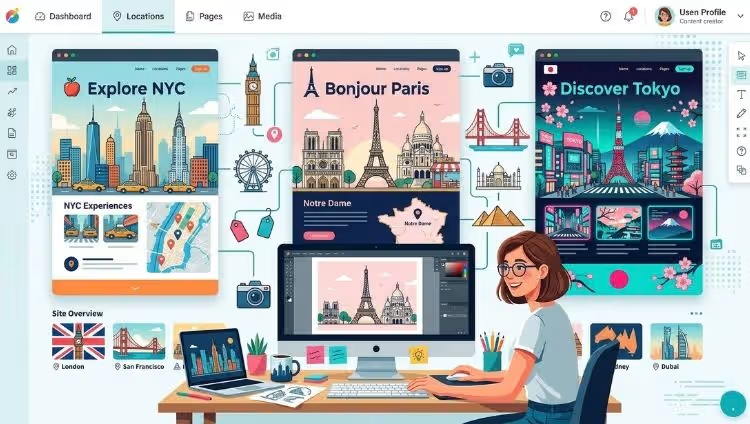
The secret to stopping self-competition is uniqueness. You must give Google a reason to rank your Lucknow page for Lucknow queries and your Kanpur page for Kanpur queries.
What to include on every location page:
-
Localized Headers: Instead of “Our Services,” use “Our Digital Marketing Services in Lucknow.”
-
Custom About Us Sections: Talk about when that specific branch opened or the local team members working there.
-
Local Reviews: Do not show reviews from your Delhi branch on your Lucknow page. Use a tool to pull in reviews specifically left for that location.
-
Local Landmarks & Directions: Mention nearby landmarks (e.g., “Located just 10 minutes from Hazratganj”). This helps Google confirm your physical presence.
-
Embedded Google Map: Every location page should have a map showing that specific office.
Comparison: Bad vs. Good Content
| Feature | Bad Strategy (Competing with yourself) | Good Strategy (Localized SEO) |
| Introduction | “We are the best agency in the country.” | “Serving the vibrant business community of Lucknow since 2015.” |
| Images | Using the same stock photos on every page. | Photos of the actual office building and local staff. |
| Testimonials | Generic “Great service!” quotes. | “eMarketters helped my Gomti Nagar boutique grow!” |
| Contact Info | A general toll-free number. | A local landline with a Lucknow (0522) area code. |
Google Business Profile (GBP): Your Secret Weapon

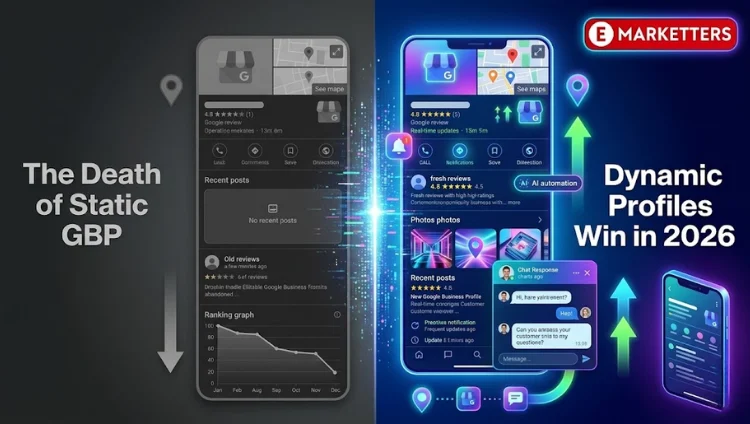
You cannot have a multi-location SEO strategy without Google Business Profile (formerly Google My Business). This is the profile that shows up in the “Map Pack” when someone searches for a local service.
If you have five locations, you must have five separate GBP listings.
-
Consistency is Key: Ensure your NAP (Name, Address, Phone number) is identical on your website and your GBP listing. If your website says “Suite 201” and your GBP says “Office #201,” Google might get suspicious.
-
Verify Every Location: Each location must be verified by Google (usually via a postcard or video call).
-
Post Local Updates: Just like Facebook, you can post updates on GBP. Use these to talk about local events or holiday hours specific to that branch.
Managing multiple profiles can be a headache. This is why many growing companies hire a Digital Marketing Agency in Lucknow to handle the daily management and optimization of these listings.
Local Content Marketing: Beyond the Location Page
To really stop competing with yourself, you need a blog strategy that supports your locations. Instead of writing one big blog post about “SEO Tips,” try writing localized content.
Examples of Local Content Ideas:
-
“Top 10 Business Networking Events in Lucknow for 2024.”
-
“How Local Businesses in Uttar Pradesh are Using Social Media.”
-
“Case Study: How we helped a Lucknow-based Real Estate firm.”
By creating content that mentions local areas, events, and news, you build “Geographic Relevance.” This tells Google that you aren’t just a global company trying to fake a local presence—you are a part of the community.
Internal Linking: Guiding the Google Bot

Internal linking is the process of linking one page of your website to another. In multi-location SEO, this is how you tell Google which page is the “boss” for a specific area.
-
Avoid: Linking from your Kanpur page to your Lucknow page using the keyword “Digital Marketing.” This confuses Google.
-
Do: Link from your blog posts to the relevant location page. If you write a blog about a project in Lucknow, link it directly to your website.com/lucknow page.
Technical SEO: Using Schema Markup
Schema Markup is a piece of code that you add to your website to help search engines understand your data. For multi-location businesses, “LocalBusiness Schema” is essential.
It tells Google: “Hey, this specific part of the code is the address, this is the phone number, and these are the opening hours for our Lucknow branch.”
When you have multiple locations, you can use “Department Schema” or multiple “LocalBusiness” blocks. This removes any doubt Google might have about which content belongs to which location. If this sounds too technical, don’t worry—a Digital Marketing Agency in Lucknow specializes in implementing this code correctly to ensure you don’t have any errors.
Avoiding the “Multiple Website” Trap
Some business owners think, “I’ll just buy five different domains like lucknow-marketing.com and kanpur-marketing.com.”
Stop! This is usually a bad idea.
Managing five websites means:
-
Five times the hosting costs.
-
Five times the work to get backlinks.
-
Dividing your brand power by five.
It is much better to have one strong website with five amazing location pages. The only exception is if your branches operate under completely different brand names or offer entirely different services.
Monitoring and Auditing Your Strategy
SEO is not a “set it and forget it” task. You need to monitor your rankings to ensure your pages aren’t still fighting each other.
Checklist for a Multi-Location Audit:
-
Check for Duplicate Content: Use a tool like Siteliner to see if your location pages are more than 30-40% identical.
-
Monitor “Ranking Fluctuations”: If you see your Lucknow page ranking one day and your main homepage ranking for the same keyword the next, you have a cannibalization problem.
-
Check Local Citations: Use tools to see if your business is listed correctly on local directories (JustDial, Sulekha, Yelp, etc.).
-
Analyze Traffic Sources: Is the traffic to your Lucknow page actually coming from people in Lucknow? If not, your targeting needs adjustment.
Why Partner with an Expert?
Multi-location SEO is complicated. It involves technical coding, creative writing, and constant monitoring of Google’s ever-changing rules. One small mistake—like forgetting to “NoIndex” a duplicate page—could result in a penalty that hides your website from search results entirely.
By working with a Digital Marketing Agency in Lucknow -eMarketters, you gain access to a team that understands the local market and the technical side of SEO. They can help you:
-
Craft unique content for every city you serve.
-
Manage dozens of Google Business Profiles.
-
Fix technical errors that cause your pages to compete with each other.
-
Build local backlinks that boost your authority.
FAQs (Frequently Asked Questions)
1. Can I use the same service descriptions on all my location pages?
It is tempting, but try to avoid it. While the core service is the same, try to rewrite the descriptions to include local context. If you can’t rewrite them entirely, ensure that at least 50% of the page (the intro, the testimonials, the local team, and the contact info) is completely unique.
2. Should I create pages for cities where I don’t have a physical office?
This is called “Service Area SEO.” You can create pages for these cities, but they won’t rank as high as a page with a physical address and a Google Business Profile. Be honest with your users about where you are located to build trust.
3. How do I handle reviews for multiple locations?
Encourage customers to leave reviews on the Google Business Profile of the specific branch they visited. You can then use a “Review Widget” on your website to display only the Lucknow reviews on the Lucknow page.
4. Is it okay to have the same phone number for all locations?
It is much better to have a local area code for each branch. It proves to both Google and the customer that you are truly local. If you use a centralized call center, you can still get local “Virtual Numbers” that forward to your main line.
5. How long does it take to see results from a multi-location SEO strategy?
SEO is a long-term investment. Generally, it takes 3 to 6 months to see significant movement in local rankings. However, if you are moving from a “cannibalized” strategy to a “unique” strategy, you might see improvements faster as Google clears up its confusion about your pages.
Conclusion
A multi-location SEO strategy is all about balance. You want your brand to feel consistent across all regions, but your content must be unique enough to satisfy Google’s local algorithms. By building a strong URL structure, creating truly local content, and optimizing your Google Business Profiles, you can stop your pages from fighting each other and start dominating the search results.
Don’t let your growth be your downfall. If managing multiple locations is becoming too complex, remember that a professional Digital Marketing Company has the experience and tools to streamline your strategy and ensure each of your branches gets the visibility it deserves.
Stop competing with yourself and start winning against your actual competitors!
Scale Your Business Without the SEO Headache!
Stop the guesswork and start growing. As a specialized Digital Marketing Agency in Lucknow, we help multi-location businesses dominate their local markets.
[Click Here to Talk to Our Experts]