Dhurandhar 2 ‘Baccha Hai Tu Mera’ Dialogue Goes Viral; How To Create Jameel Jamali Memes In 2 Minutes Using Google Gemini?
Are you seeing the “Bachcha Hai Tu Mera” meme everywhere on Instagram?
This viral trend, inspired by Dhurandhar 2: The Revenge, is taking over social media.
The best part?
You don’t need Photoshop skills anymore. With AI tools like ChatGPT and Google Gemini, you can create professional memes in seconds.
And just like any smart digital marketing company in Lucknow,eMarketters, you can leverage this trend to boost engagement, grow your audience, and make your content go viral.
In this guide, you will learn step-by-step methods to create your own viral meme.

What is the “Bachcha Hai Tu Mera” Meme?
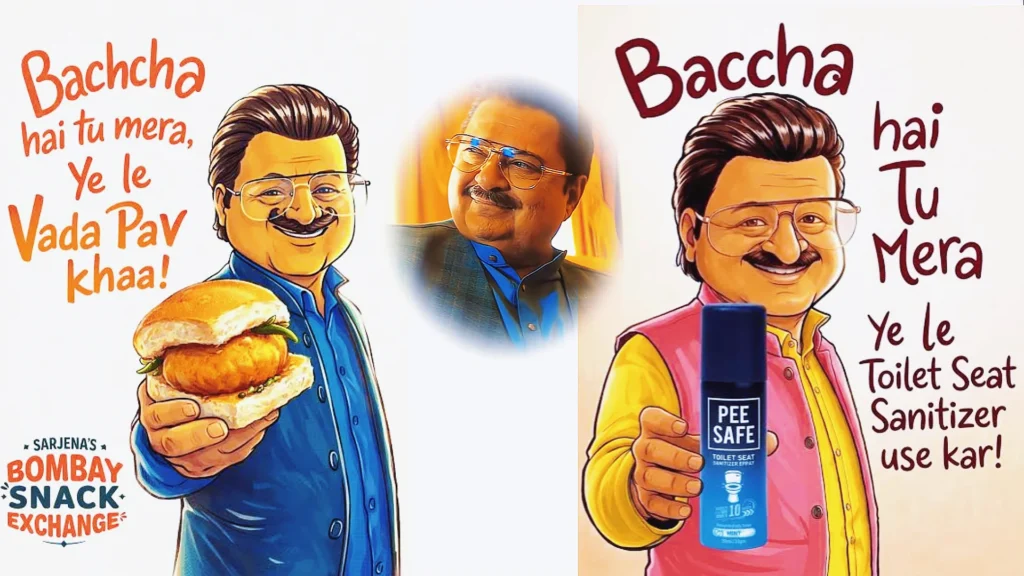
The meme features a character from Dhurandhar 2 holding an object with a funny, confident expression.
The dialogue usually says:
👉 “Bachcha hai tu mera…” (You are just a kid to me)
Creators are now:
- Replacing the object with products
- Adding funny captions
- Using it for brand promotions
This makes the meme highly relatable and shareable.
Method 1: Create a Meme Using ChatGPT (DALL-E 3)
Follow these simple steps:
Step 1: Open ChatGPT
Go to ChatGPT on your mobile or desktop.
Make sure image generation is enabled.

Step 2: Upload Reference Image
Upload the original Dhurandhar 2 meme screenshot.

Step 3: Use This Prompt
Copy and paste this:
Prompt:
“Use the provided thumbnail as the base reference. Keep the character’s face, expression, pose, outfit, and overall art style the same. Replace the object in his hand with a realistic, high-quality [your product]. The item should be clearly visible and naturally held. Match lighting, shadows, and perspective. Do not change the background. Add handwritten text: ‘Bachcha hai tu mera, [your line]…’. Keep it clean and professional.”
Step 4: Edit If Needed
You can refine results by saying:
- “Move object slightly left”
- “Make text bold”
- “Improve lighting”
Step 5: Download & Share
Save your image and post it on:
- X (Twitter)
Method 2: Create Meme Using Google Gemini
Google Gemini is another powerful AI tool.
Step 1: Open Google Gemini
Visit the website or app.
Step 2: Upload Image
Click on “+” or gallery icon to upload the meme reference.
Step 3: Enter Prompt
Use the same prompt mentioned above.
Step 4: Generate Variations
If needed, try:
- “Make colors more vibrant”
- “Increase expression intensity”
Step 5: Save the Meme
Why This Meme Works for Brands
This trend is perfect for marketing. Here’s why:
High Relatability
The “Alpha vs Kid” concept works in every niche:
- Tech
- Finance
- Education
- Gaming
Strong Visual Appeal
The animation style is:
- Clean
- Bright
- Eye-catching
High Engagement
AI-generated memes look natural.
This increases likes, shares, and reach.
Tips to Make Your Meme Go Viral
1. Write a Strong Punchline
Your caption matters the most.
Examples:
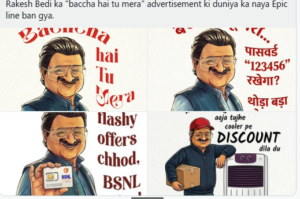
- “Bachcha hai tu mera, iPhone lele mera”
- “Bachcha hai tu mera, trading seekh le mera”
2. Maintain Quality
Make sure:
- Object looks realistic
- Lighting matches perfectly
3. Post at the Right Time
Post while the trend is still viral.
Conclusion
Creating the “Bachcha Hai Tu Mera” meme is now easy with AI.
Tools like ChatGPT and Google Gemini help you:
- Save time
- Improve quality
- Go viral faster
👉 Start now. Paste the prompt and create your meme today!
FAQs
What is the “bacha hai tu mera trend prompt”?
The bacha hai tu mera trend prompt is a structured AI instruction used to generate viral meme-style posters featuring the popular Hindi line “bacha hai tu mera.” It helps create cartoon or realistic images with expressive characters, handwritten text, and relatable humor, commonly used in Instagram reels and posts.
Need Professional Designs?
If you want to go beyond memes and build a strong brand identity, eMarketters can help.
We create:
- Social media creatives
- Brand visuals
- High-converting designs